
Your AI's best friend. Talk, and it types.
Hold a key and say what you want. Voice Tide types it into ChatGPT, Claude or any app on your device, as fast as you can speak, so you can prompt all day without typing.
Runs on your device, not in the cloud · about 100 languages · no subscription
Message your AI…
55 words · typing them at 40 words a minute takes 1 min 23 s
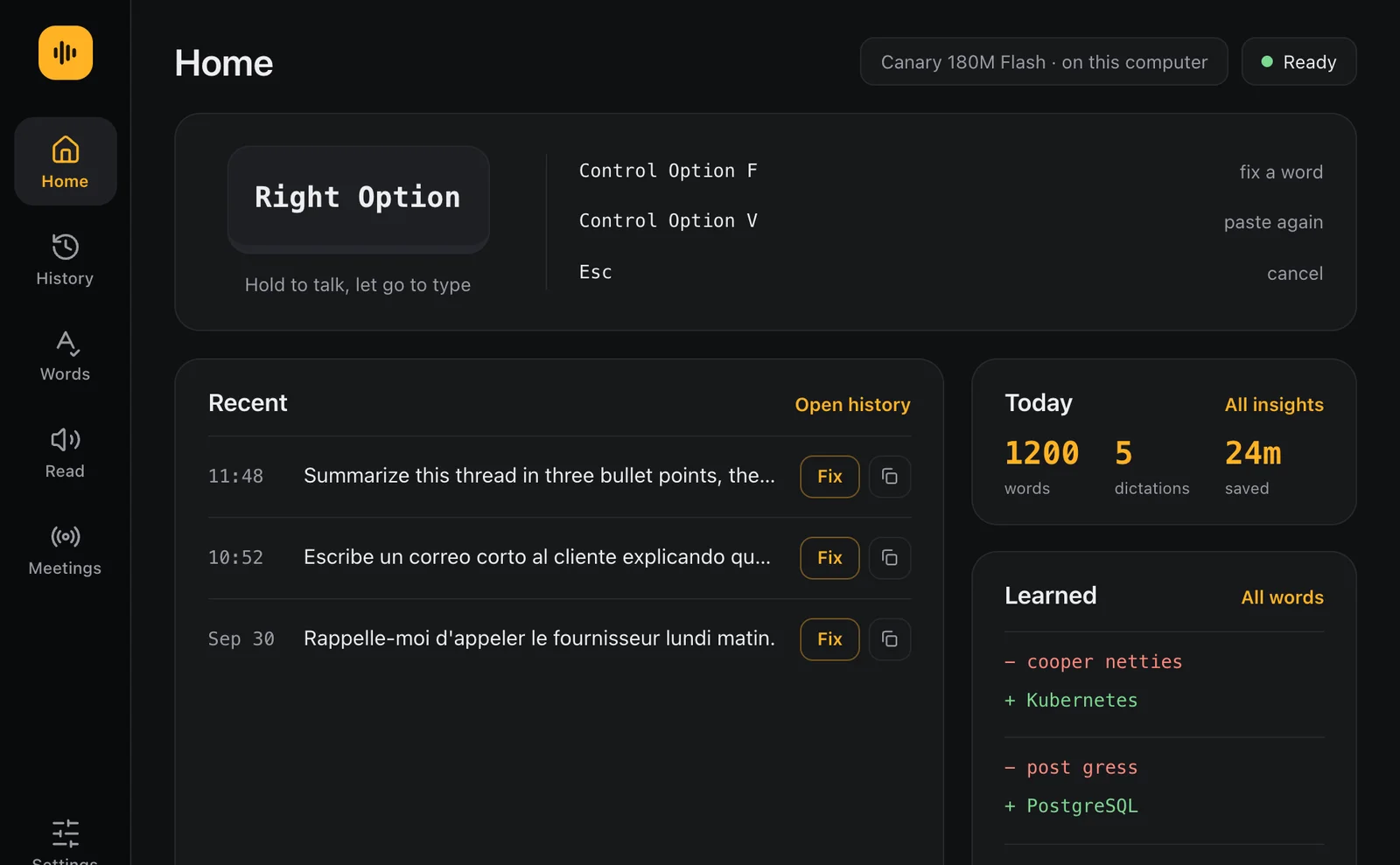
It's Right Option on a Mac and Right Ctrl on Windows, in any app. 40 words a minute is where Voice Tide's Insights page starts; set your own there. This demo plays written samples and never uses your microphone.
Works in the apps you already use
- ChatGPT
- Claude
- Gemini
- Copilot
- Perplexity
- Cursor
- Slack
- Gmail
- Notion
- Word
- Zoom
- Microsoft Teams
- Google Meet
- Webex
- Slack huddles
- FaceTime
…and any other app on your device.
See it say it all.
Watch with the sound on.
Your best prompts never get typed.
Short prompts, short answers
Typing a full brief is slow, so it gets cut to one line, and the answer is only as good as that line.
Thoughts outrun fingers
By the time the first sentence is typed, the next three ideas are gone.
Two languages, one keyboard
Switching layouts in the middle of a thought breaks it, in Spanish and English alike.
Voice Tide lets you say all of it, in any app, in about 100 languages.
Hold, talk, let go.
- 01
Click where it goes
A chat with an AI, an email, a document, a code editor: wherever the cursor is.
- 02
Hold your key and talk
Right Option on a Mac, Right Ctrl on Windows. Say the whole thing: what you want, what you tried, what a good answer looks like.
- 03
Let go, and it types
Your words appear with punctuation, turned into text right on your device.
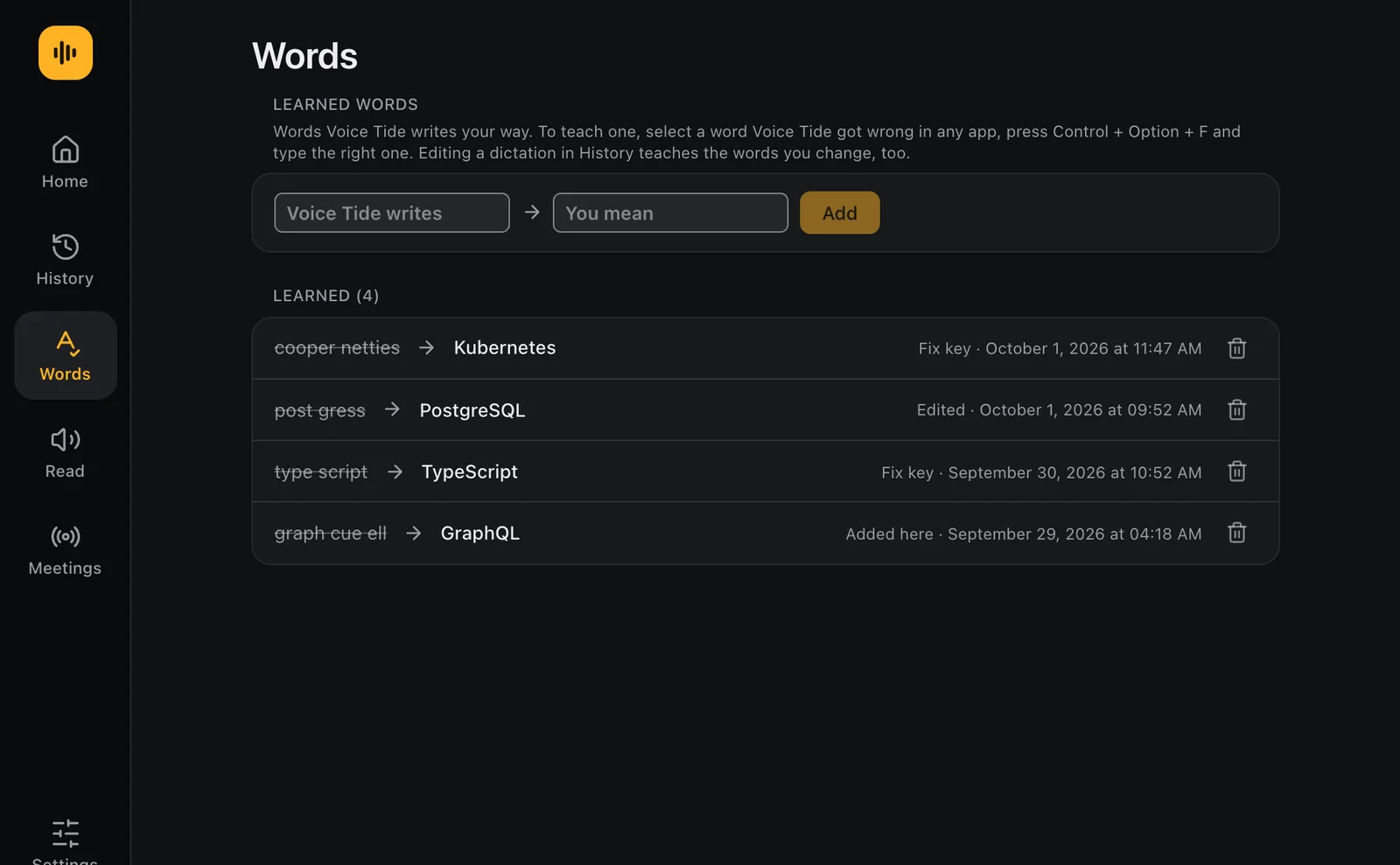
- Fix a word onceSelect it, press Control Option F (Ctrl Alt F on Windows), type it right. It's learned.
- Two languages, two keysSpanish on one key and English on another.
- Speak one, write anotherTalk in English, get Spanish, or the other way round, translated on your device.
- Your music waitsWhatever is playing pauses while you talk, then carries on.
- About 100 languagesEnglish, Spanish, French and German in the first download; the rest are free.
- Hands-free when you want itSwitch it on, then double-tap the key to keep talking without holding it.
It transcribes your meetings and reads to you.
-
Meetings, transcribed on your device
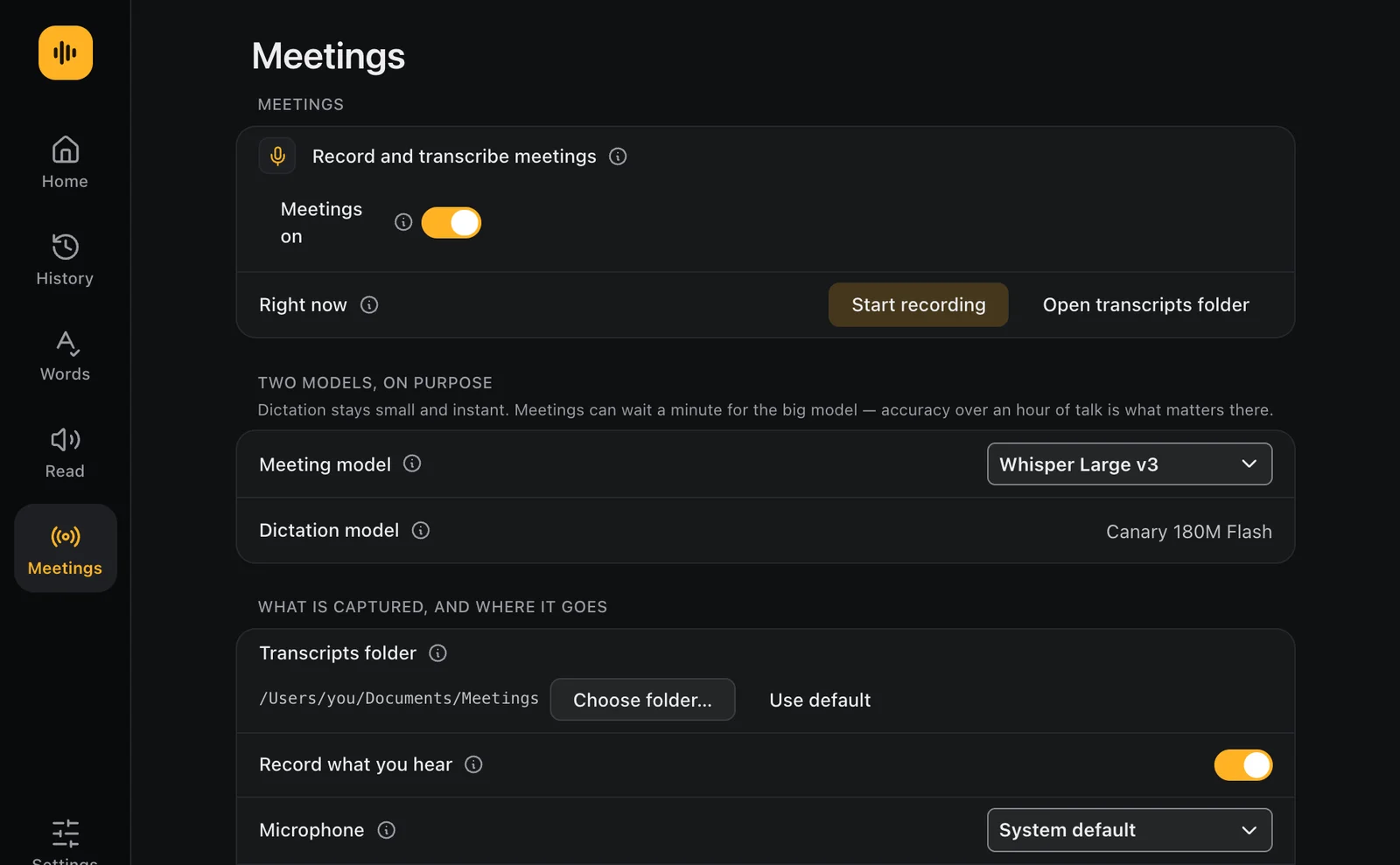
Press Control Option M (Ctrl Alt M on Windows) when a call starts. Voice Tide records your side and theirs, then turns the whole call into a transcript, with a page for your notes.
- Works with any call on your device
- One key marks a moment to come back to
- Asks whether everyone has agreed to be recorded
- Recorded and transcribed on your device, never uploaded
-
Read aloud, in natural voices
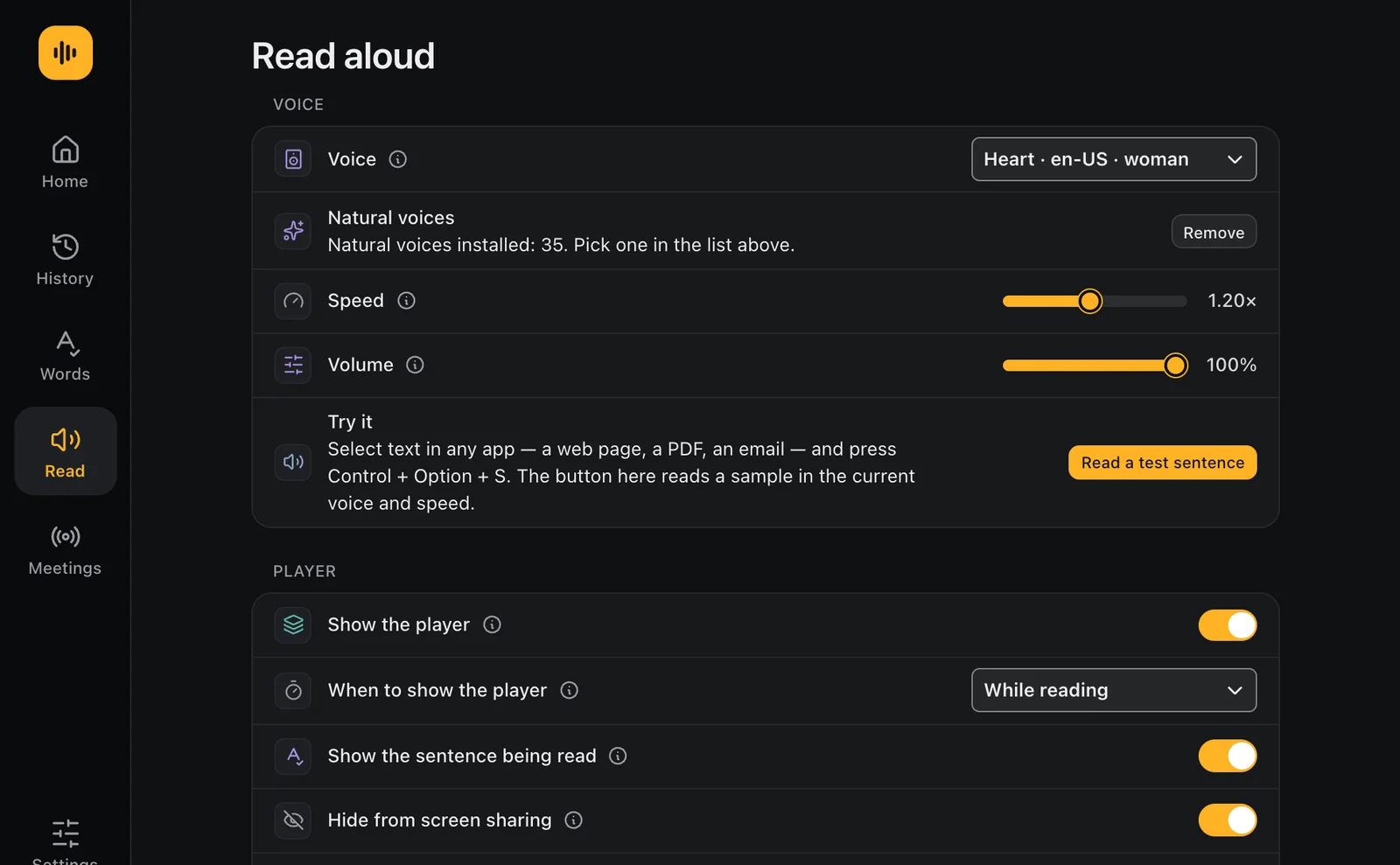
Select any text, your AI's answer, an email or an article, and press Control Option S (Ctrl Alt S on Windows) to hear it.
- 35 natural voices, plus your device's own
- Pause, or skip back and forth a sentence, with a key
- Shows each sentence as it's read
- The voices run on your device too
Real screens from the app.
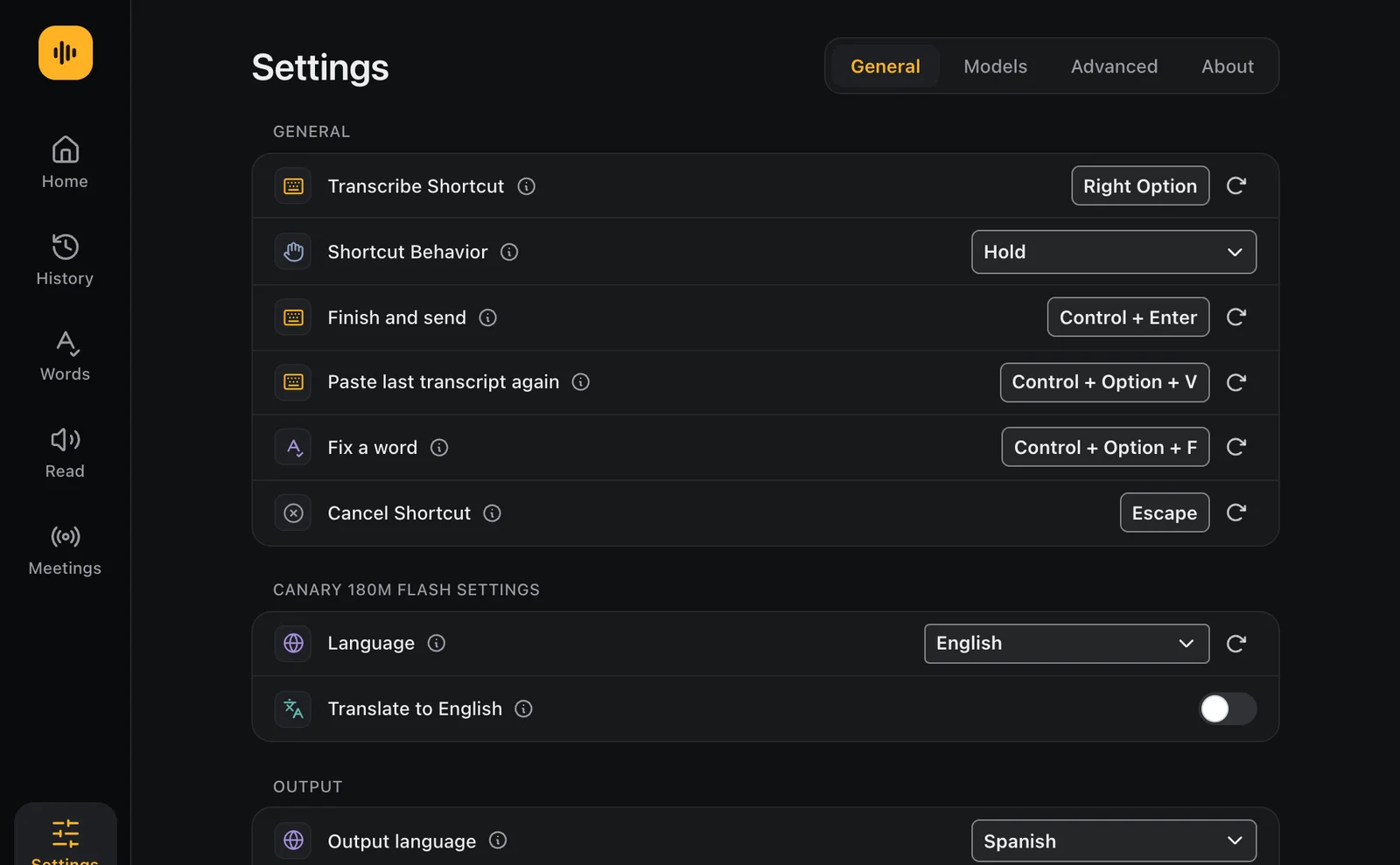
Your voice stays on your device.
Speech becomes text on your device, never on a server, and so do your meetings. Voice Tide has no account and no cloud of its own, so what you say goes only where you type it.
- No account, no sign-in
- No subscription
- Speech recognition runs on your device
- Your voice is never uploaded
- Meetings are recorded and transcribed on your device
- No ads, no analytics, no trackers
Talk to AI the way you'd explain it to a person.
How do I talk to ChatGPT or Claude instead of typing?
Click in the chat box, hold Right Option, say what you want and let go. Voice Tide types your words into the box, with punctuation, and you press Return to send. It works the same in ChatGPT, Claude, Gemini, Copilot, Perplexity and Cursor, in the browser or in their desktop apps.
I find it hard to explain what I want in writing. Will talking help?
Yes. Most people explain things better out loud: you say the whole story the way you would to a colleague, without stopping to find the right word or fix a typo. Talk it through, add the detail as it comes to you, and let the AI sort it out. Voice Tide just gets every word of it down.
How do I get better answers from AI?
Give it more to work with. An AI's answer is only as good as the request, and typed requests get cut short because typing is slow. Speaking, it takes seconds to say what you want, what you have tried, who it is for and what a good answer looks like. That is the prompt that gets the good answer.
Does it work in apps other than AI chats?
Yes, in any app where you can type: email, Slack, Word, Notion, notes, forms and code editors. Voice Tide types wherever your cursor is, so you can answer messages, write documents or fill in long forms by talking.
Is my voice sent to the cloud?
No. Speech becomes text on your own device, and your voice is never uploaded. Voice Tide has no account, no server of its own and no analytics. After the first language download, the dictation itself works without an internet connection.
Which languages does it understand?
About 100. English, Spanish, French and German come in the first download, and the others are free to add. You can put two languages on two keys, or speak in one language and have it written in another, translated on your device.
Can it transcribe my meetings?
Yes. Start it when a call begins on Zoom, Microsoft Teams, Google Meet or any other app, and Voice Tide records both sides and turns the call into a written transcript, on your device. It asks first whether everyone has agreed to be recorded.
Is typing slow or tiring for you?
Then let your voice do it. Voice Tide is speech to text for your whole computer: you write by talking and read by listening, with 35 natural voices that read any text aloud. Many people who find typing slow, tiring or painful use dictation for exactly that.
Is there a subscription?
No. Try every feature free for 7 days, then pay once and keep it. There is no account and no sign-in.
Is Voice Tide on Windows, iPhone or Android?
It is on the Mac today. Windows comes next on the Microsoft Store, and the iPhone, iPad and Android apps are coming very soon. Email [email protected] and we'll tell you the day yours is out.
Get Voice Tide on your device.
No subscription, no account, no sign-in. Free for 7 days, then $39.99, once.
- Mac Mac App Store Apple silicon, macOS 14.2 or later Coming soon
-
Mac
Direct download
Apple silicon, macOS 14.2 or later. 7 days free, then pay once · checkout by Polar
$49.99$39.99 launch price Buy · $39.99Download free trial - Windows Microsoft Store For Windows PCs Coming soon
- iPhone & iPad App Store For iPhone and iPad, coming very soon Coming soon
- Android Google Play For Android phones, coming very soon Coming soon
Waiting for Windows, iPhone or Android? Email [email protected] and we'll write back. We use your address only for that.